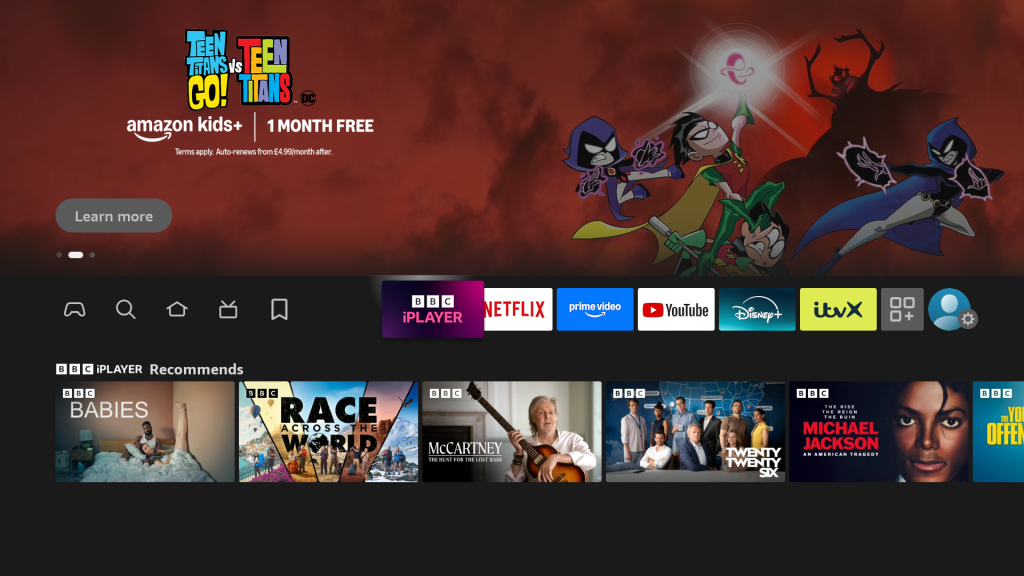
Navigate over to the magnifying glass, then down to the search bar and press the select button on your remote to bring up the keyboard.
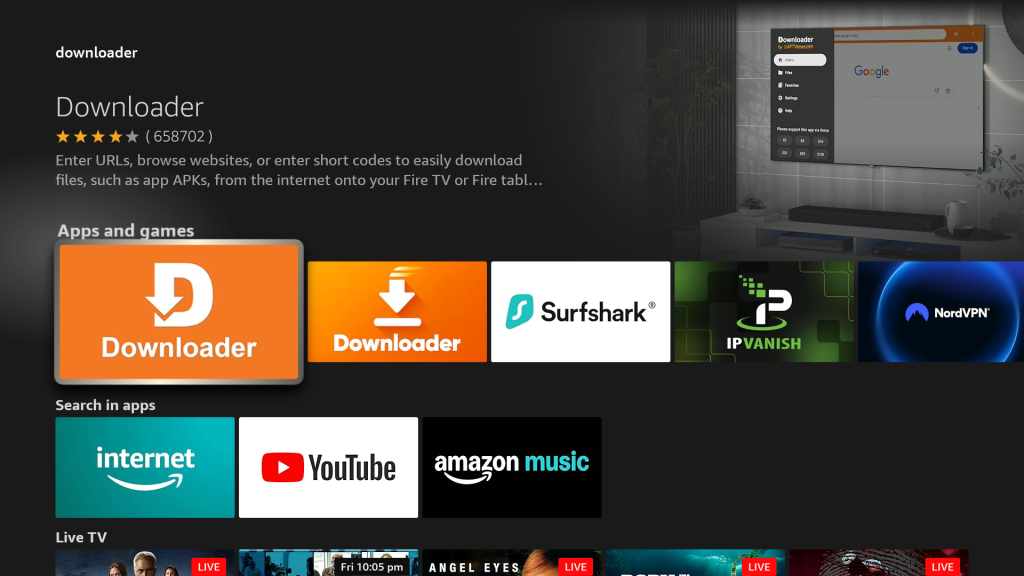
Begin to type in ‘downloader’ and click it once you see it below the keyboard.
Click the ‘Downloader’ app icon from the list.
Very Important: The genuine Downloader app is free to use. Do not install any ‘copy’ apps, which often sit to the right, as they attempt to charge for use.
Click ‘Download’ or ‘Get It’ to download the app and then click “Open” once it has been installed on your device.
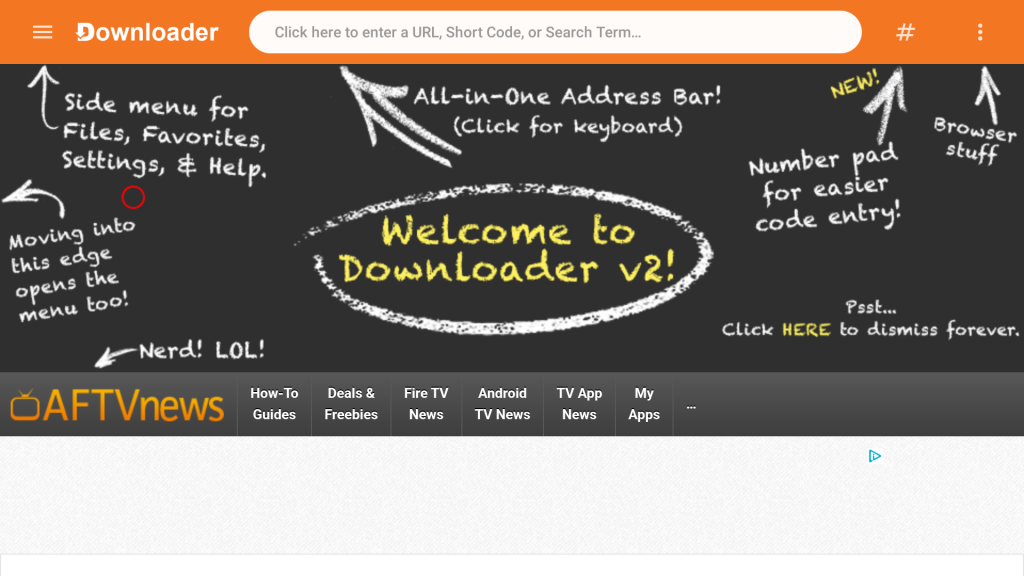
Once launched, ensure that you allow access to storage and use the onscreen cursor to accept the privacy policy. You should then navigate to the top search bar and press the select button on your remote to bring up the keyboard.
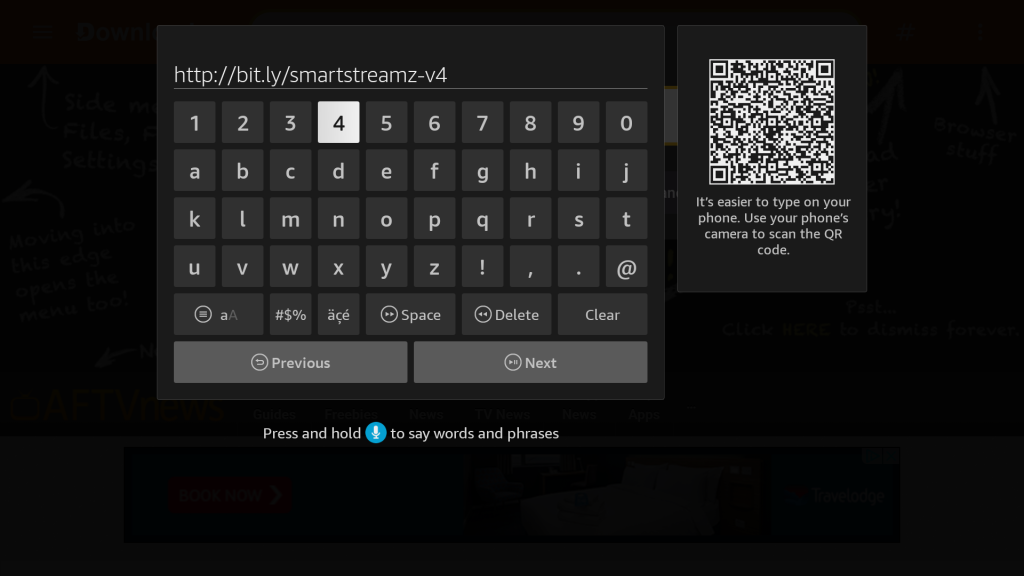
Enter this URL and click ‘Go’:
http://bit.ly/smartstreamz-v4
When you are shown this screen, you should click ‘Settings’, then ‘About’ and click ‘Fire TV Stick/Fire TV Cube’ seven times. For certain older Amazon Fire TV devices you can go straight to developer options and select ‘Install Unknown Apps’.
Now click the back button on your remote and select ‘Install Unknown apps’, so you can switch from ‘Off’ to ‘On’ for the Smart Streamz app. Now click the back button again until you see the option to install Smart Streamz. Once installed, you should click ‘Open’.
Once you are asked for login details to the Smart Streamz panel, please email us here to request your free trial login details: support@smart-streamz.com
Once the content has updated, you MUST click ‘Allow’ otherwise the content will not populate in the app.
| Cookie | Duration | Description |
|---|---|---|
| cookielawinfo-checkbox-analytics | 11 months | This cookie is set by GDPR Cookie Consent plugin. The cookie is used to store the user consent for the cookies in the category "Analytics". |
| cookielawinfo-checkbox-functional | 11 months | The cookie is set by GDPR cookie consent to record the user consent for the cookies in the category "Functional". |
| cookielawinfo-checkbox-necessary | 11 months | This cookie is set by GDPR Cookie Consent plugin. The cookies is used to store the user consent for the cookies in the category "Necessary". |
| cookielawinfo-checkbox-others | 11 months | This cookie is set by GDPR Cookie Consent plugin. The cookie is used to store the user consent for the cookies in the category "Other. |
| cookielawinfo-checkbox-performance | 11 months | This cookie is set by GDPR Cookie Consent plugin. The cookie is used to store the user consent for the cookies in the category "Performance". |
| viewed_cookie_policy | 11 months | The cookie is set by the GDPR Cookie Consent plugin and is used to store whether or not user has consented to the use of cookies. It does not store any personal data. |